Click Add or Configure on the SuperDriver tab to open the window on the next figure and add or configure a Profile.
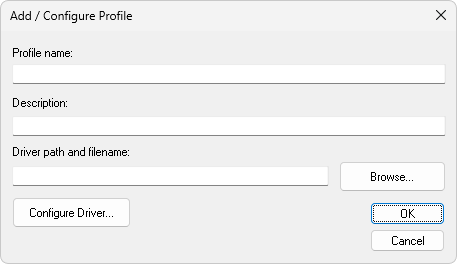
Add/Configure Profile window
The available option on this window are described on the next table.
Available options on the Add/Configure Profile window
Option |
Description |
|---|---|
Profile name |
Configures the name of a Profile. Select a name that represents this Driver Profile when referencing Tags |
Description |
Configures the description of a Profiles aiming documentation. Although it does not impact the functionality of a Profile, this is a mandatory option that can be filled with any keyboard-input content |
Driver path and filename |
Path and name of a Driver file selected for a Profile. Click Browse to open the Windows default file selection window and select an existing file |
Configure Driver |
Opens the configuration window of the Driver indicated in the Driver path and filename option. As each Driver has their own peculiarities, this configuration window must be filled according to the User's Manual of that Driver. Please check topic Profile Parameters Inherited from SuperDriver to avoid unnecessary configurations |