On Organizer, select the Drivers item and click New.
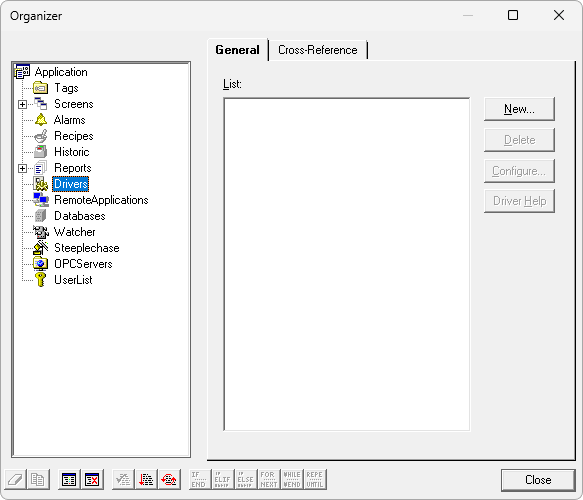
Adding a new Driver to Elipse SCADA
On the window that opens, select a Driver, that is, the file that was extracted to a folder on the computer in use, and click Open.
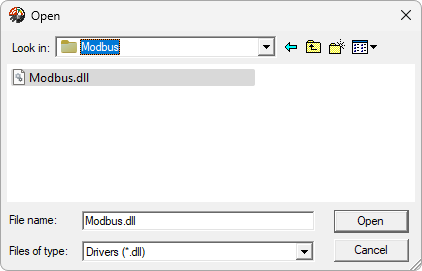
Selecting a Driver
This Driver is then added to the application.
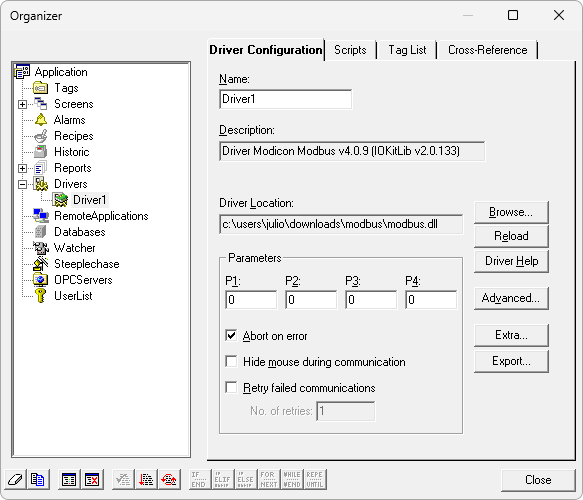
Driver on Organizer
For this Driver to work correctly, users still need to configured it on its configuration window. To open this window, showed on the next figure, click Extra.
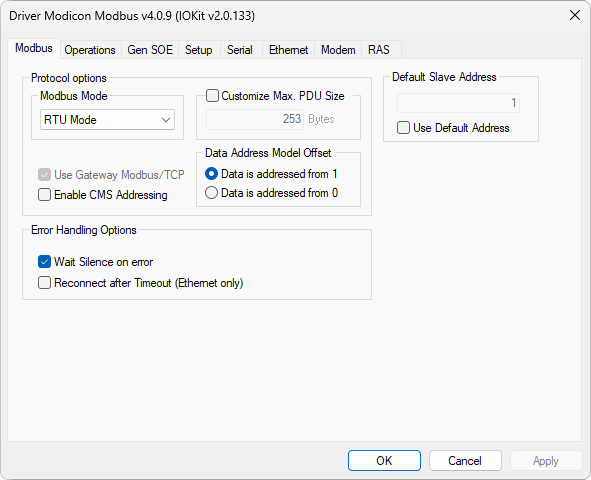
Configuration window of this Driver
The second step of topic Quick Configuration Guide shows how to configure this Driver for the most use cases, for devices complying to default Modbus protocol requirements. On topic Properties that configuration is described in details, including advanced configuration resources.