Similar to the TwinCAT tab, this tab presents a list of references for names of variables. Users must fill in this list to read or write variables with names and not numerical addresses.
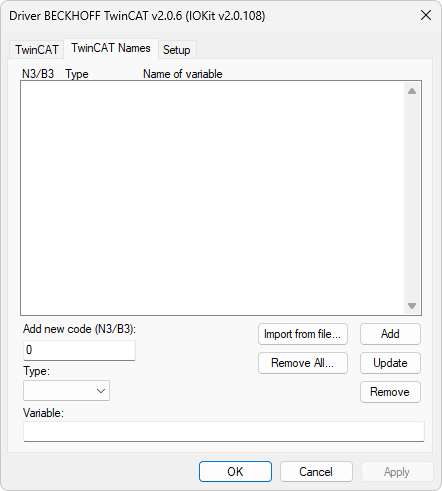
TwinCAT Names tab
The available options on this tab are described on the next table.
Available options on the TwinCAT Names tab
Option |
Description |
|---|---|
Add new code (N3/B3) |
Fill it in with an index number, a code between 0 (zero) and 99999. In case there is already a variable with this number, it is automatically selected on the table and its values are loaded to the edition fields. This code is a reference to a name of a variable, that is, the index configured on this list must be indicated on Tags for reading or writing variables by name in N3/B3 parameter |
Type |
Data type of a variable. All data types of variables are listed on the table Types of Variables |
Variable |
Name of a variable. The maximum size is 100 characters |
In addition to the options Add, Update, and Remove to manipulate the list, the TwinCAT Names tab also contains options to import and remove names of variables. The Import from file option opens a dialog box to select symbol files (SYM), which are files generated by the design software of the PLC's Ladder program, TwinCAT PLC Control. The operation to import a SYM file is very useful when a project works with several variables, by reducing the time spent on typing names of variables to configure this Driver.
To generate a SYM file with names of variables using the software TwinCAT PLC Control, users must enable all items on the dialog box opened by the Configure symbol file option on the Options - Symbol configuration menu. After that, execute the Project - Rebuild all option to generate a SYM file with all names of variables in a project.
To perform the import process of names of variables from a SYM file, click Import from file and select the file to import. By confirming this operation, the process of reading and converting this file starts and, depending on its size and the available resources on the computer, can be a time-consuming operation. In this case, a bar indicates the progress of the import process.
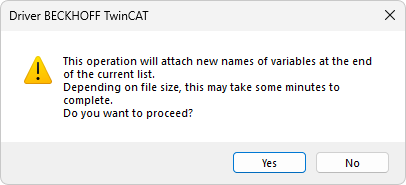
Import message
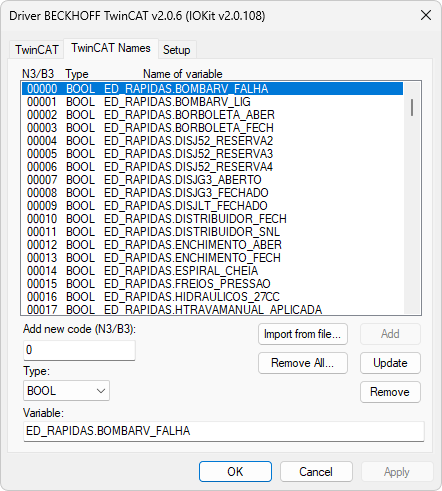
Result of the process of importing a SYM file
The Remove all option is used to remove all names of variables from the list. Click Yes to confirm this removal operation.