Use this tab to define Datasets with the help of a visual editor. These Datasets are saved to files with a .cds extension and created on the destination devices during the initialization.
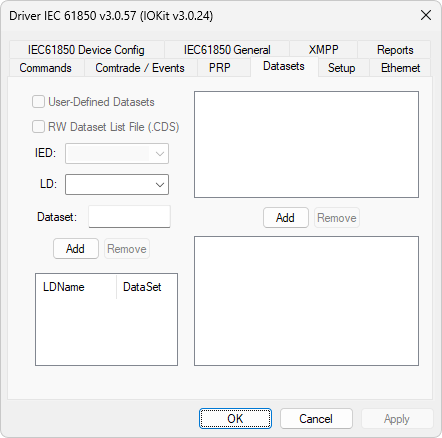
Datasets Tab
The available options on this tab are described on the next table.
Available options on the Datasets tab
Opção |
Descrição |
|---|---|
User-Defined Datasets |
When using a pre-defined list of Reports, users can inform whether Datasets are dynamically declared by this Driver. Please check section User-Defined Datasets for more information about this option |
RW DataSet List File (.CDS) |
Indicates whether the list of Datasets defined in the User-Defined Datasets option must be saved to a file, so that the execution of the example script on section User-Defined Datasets is not needed. Writing to this file can be performed automatically based on the previous examples or by directly editing that file, which must be on the default directory of cache (LD) files and must have the name of an IED and a .cds extension. Only one IED is allowed per file. For more information, please check section Format of CDS Files |
IED |
Allows selecting a device for edition |
LD |
Allows selecting a Logical Device in the selected device to add a Dataset |
Dataset |
Allows defining the name of a Dataset for addition using the Add option |
Add or Remove Dataset |
The Add option adds a Dataset according to the selected LD and the informed Dataset name. The Remove option deletes the selected Dataset |
Add or Remove Dataset Items |
With a Dataset selected in the Add or Remove Dataset option, browse the existing Logical Device objects on the upper list and add the selected Logical Device using the Add option. Use the Remove option to delete the selected Dataset |