After the installation, there is a program group called Elipse Water with an icon  to open Elipse Water Studio. When Elipse Water Studio launches, it opens a dialog box with some project options.
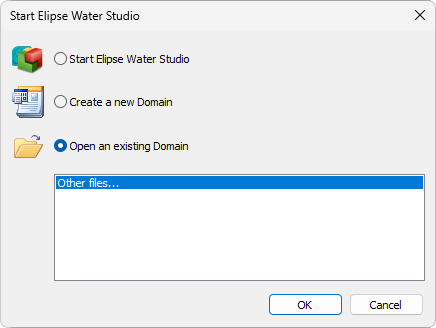
Elipse Water Studio's initial dialog box
The available options on this dialog box are described on the next table.
Available options on Elipse Water Studio's initial dialog box
Option |
Description |
|---|---|
Start Elipse Water Studio |
Starts Elipse Water Studio, but does not open any Domain |
Create a new Domain |
Creates a new Domain using Elipse Water Studio Application Wizard, which asks for a name and a path for this new Domain |
Open an existing Domain |
Opens an existing Domain among the last edited ones. By clicking Other files, users can browse for a Domain on a specific directory |