Let's create, delete, and edit users at run time. Only users configured with the Configure users/groups permission have access to this resource.
1.Insert a Command Button object near the Display created in the previous exercise and configure the Caption property of this Command Button to "Admin".
2.Create the script on the next figure on the Click event of this Command Button.
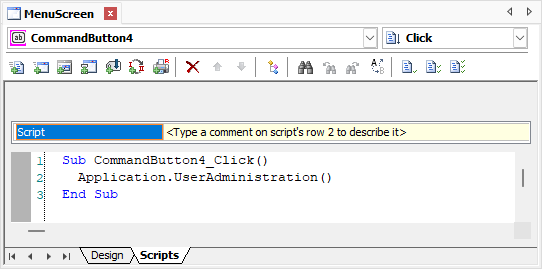
Viewer's UserAdministration method
3.Execute the application and test this new functionality.