1.In the Water Distribution Network System1, add the objects on the next figure.
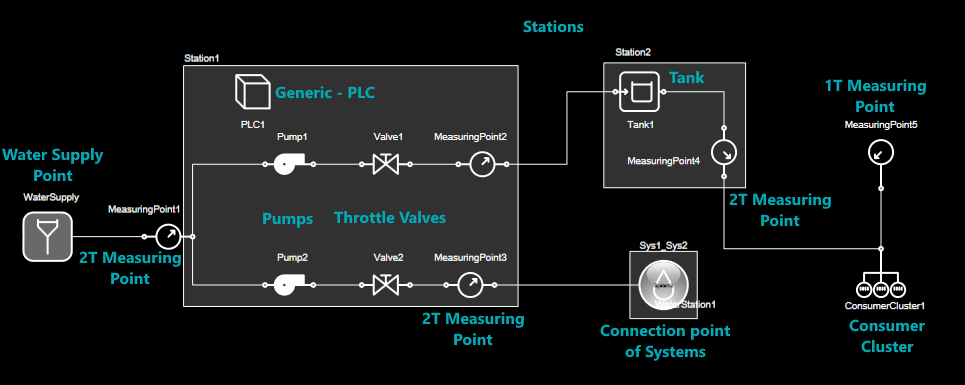
System 1
2.In the Water Distribution Network System2, add the objects on the next figure.
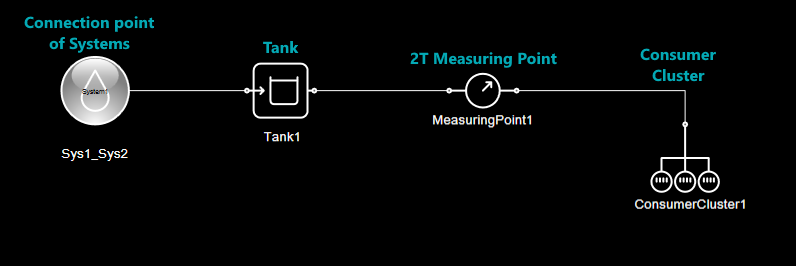
System 2
NOTES |
•Names in blue in the figures indicate the type of object to insert. •Due to the limitations of the Demonstration mode, all connections must be performed using a Connection, not a Pipe. •If users need more space for modeling, increase the value of the CanvasRight property on the modeling screen. •Remember that the names used in this model are replicated to the objects created during the export process. |