1.To communicate Elipse Modbus Simulator with Elipse Water, use a Modbus Driver. To do so, download it on Elipse Software's website.
2.Right-click the Server objects - Drivers and OPC item and select the Insert I/O Driver in - WaterTraining.prj option.
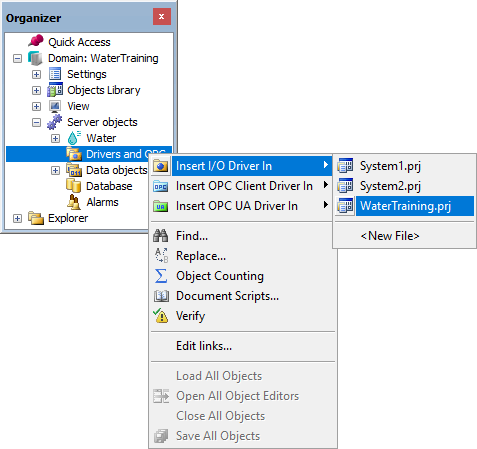
Insert I/O Driver option
3.Select the Modbus.dll file on the dialog box to select files.
4.On the Modbus tab, select the ModbusTCP item in the Modbus Mode option.
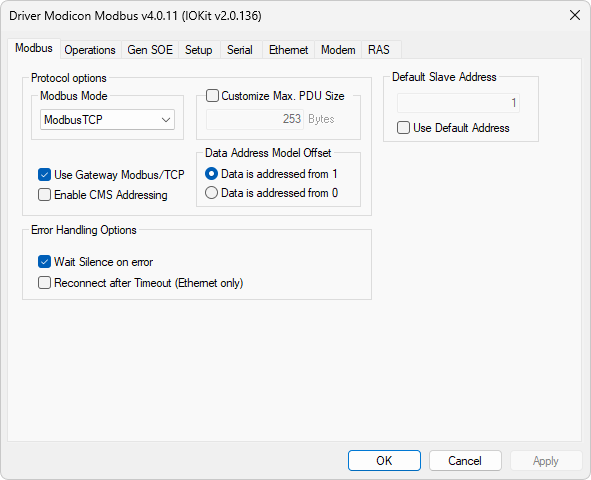
Modbus tab
5.On the Setup tab, select the Ethernet item in the Physical Layer option.
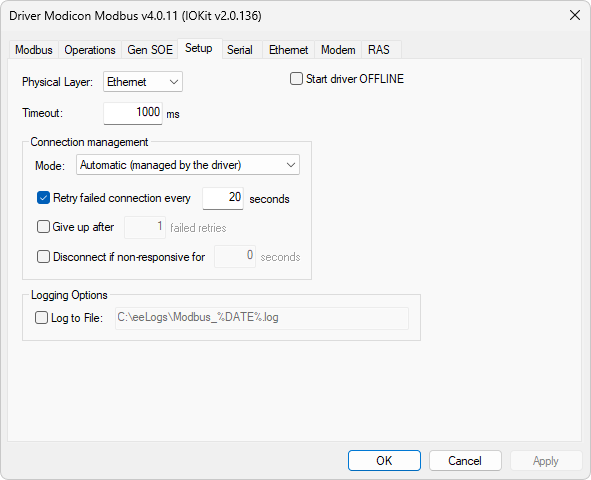
Setup tab
6.After selecting the physical layer, all other tabs are disabled, and users must only configure the selected interface. On the Ethernet tab, type the IP address of the computer executing Elipse Modbus Simulator. If Elipse Modbus Simulator is on the same computer of Elipse Water, type the value "127.0.0.1".
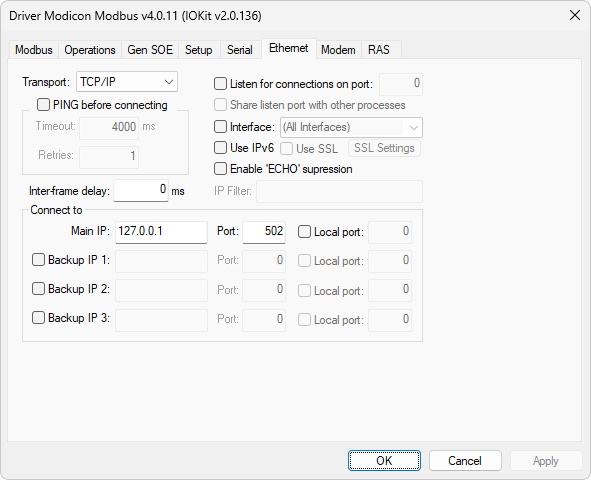
Ethernet tab