Elipse Water deals with Hydraulic Model and data objects of an application distinctively, but linked. While an Hydraulic Model is stored on an WDB file and contains information about system components, data objects are stored on project files and allow adding a series of programming to them, such as scripts, Links to I/O Tags, Links to Screen objects, Alarms, and Historic objects, among others. After creating devices in Hydraulic Modeler, the system components can be synced with project files by right-clicking the Water Configuration object and selecting the Hydraulic Model - Synchronize Data Objects option, as shown on the next figure.
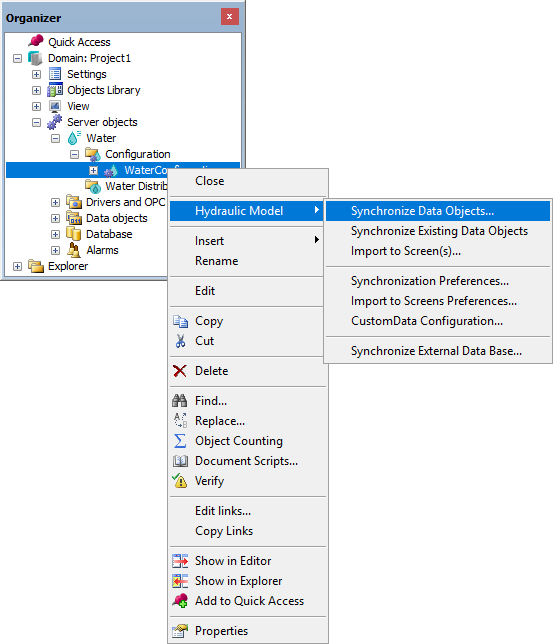
Synchronize Data Objects option