1.Right-Click the Pump1 object of the Station1 Station of the System1 Water Distribution Network and select the Add - Commands option.
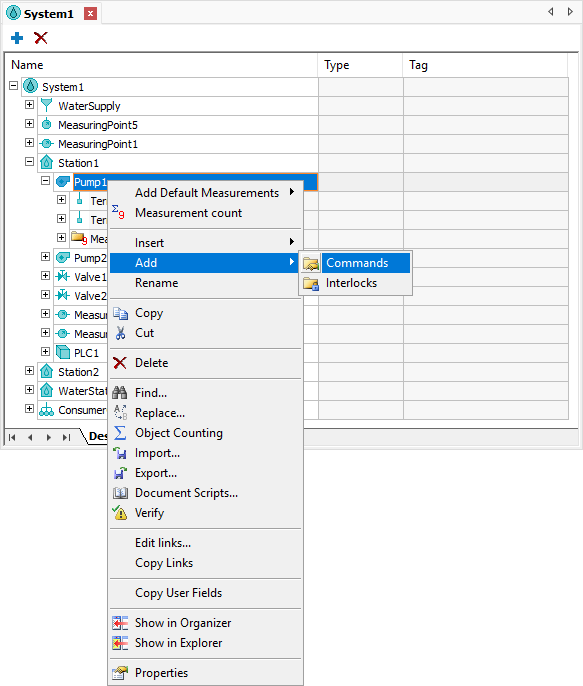
Option to add the Commands folder
2.Right-click the Commands folder and select the Insert - Discrete Command option.
3.Change the name of this Discrete Command to "PumpStateCommand" and select the value *PumpState in the CommandType property.
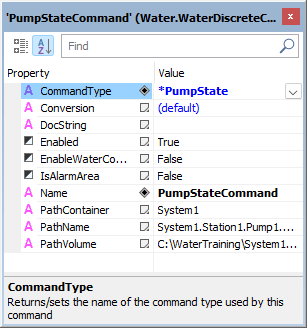
CommandType property
4.Change the name of the existing Command Unit of this Discrete Command to "TurnOn", select the value TurnOn in the CommandName property, and add the PumpState1 I/O Tag of Driver1 in the OperateWriteTag property.
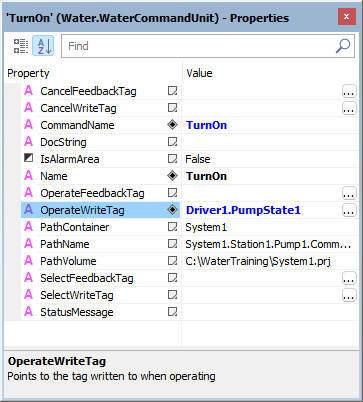
TurnOn Command Unit
5.Right-click the PumpStateCommand Discrete Command and select the Insert - Command Unit option.
6.Change the name of this Command Unit to "TurnOff", select the value TurnOff in the CommandName property and add the PumpState1 I/O Tag of Driver1 in the OperateWriteTag property.
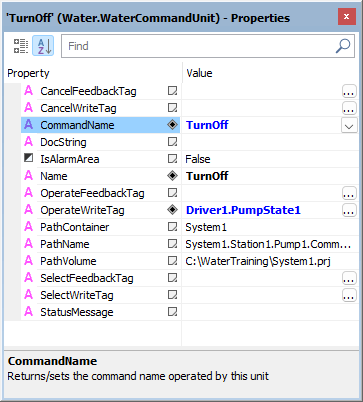
TurnOff Command Unit
7.Right-click the Valve1 object of the Station1 Station of the System1 Water Distribution Network, and select the Add - Commands option.
8.Add a Discrete Command on the Commands folder, change the name of this Discrete Command to "ValveStateCommand", and select the value *ValveState in the CommandType property.
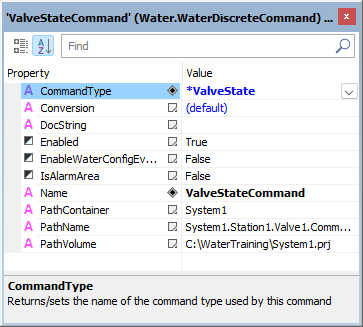
CommandType property
9.Add two Command Units in the ValveStateCommand Discrete Command, named "Open" and "Close", and configure the CommandName property of these Command Units with the values Open and Close, respectively.
10.Add the ValveState1 I/O Tag of Driver1 in the OperateWriteTag property of Command Units Open and Close.
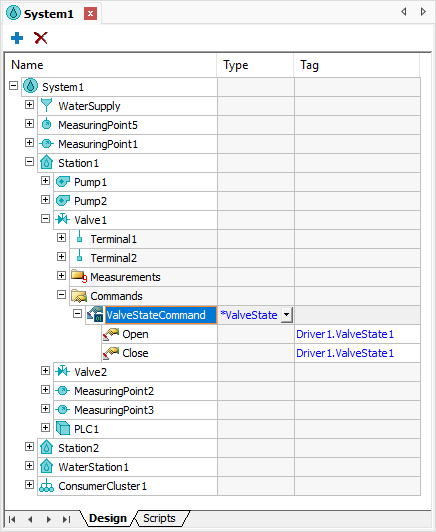
Command Units