Registering types of Commands must be performed on the Commands tab of a Water Configuration object. Some examples of Command types are opening a Valve or triggering a Pump.
As when standardizing Statuses or Meanings of Discrete Measurements, each type of Command may have one or more Command Actions. Types of Commands can be configured at run time in the object returned by the CommandTypes property of a Water Configuration object. The next figure shows a configuration screen for Command standards.
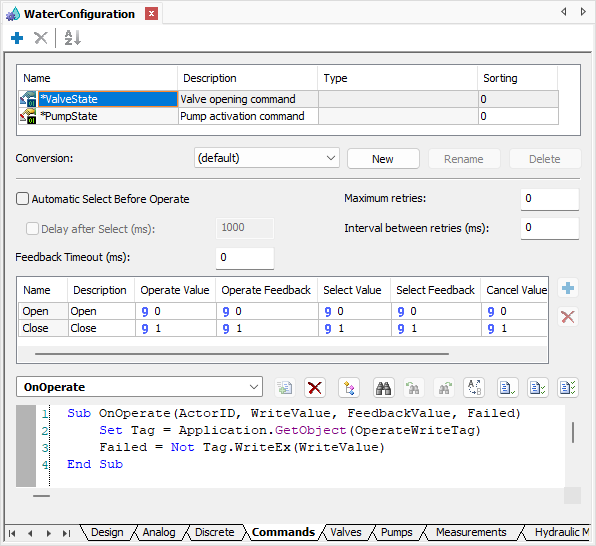
Commands tab
This interface contains an area to edit scripts, displayed on the next figure, which allows users to define which scripts are performed when Operate, Select, and Cancel methods are executed on Command objects. A standard already comes with a pre-configured OnOperate event with a minimum script to send a command, which is basically writing a configured value to a linked Tag.
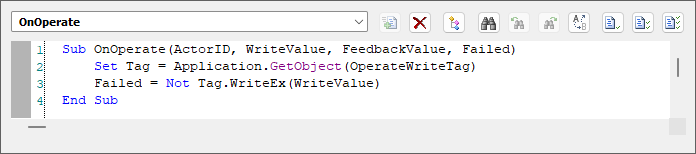
OnOperate event