Viewing Alarms in real time can be performed using an E3Alarm object.
1.Place an E3Alarm object at the bottom of the Screen_System1 Screen.
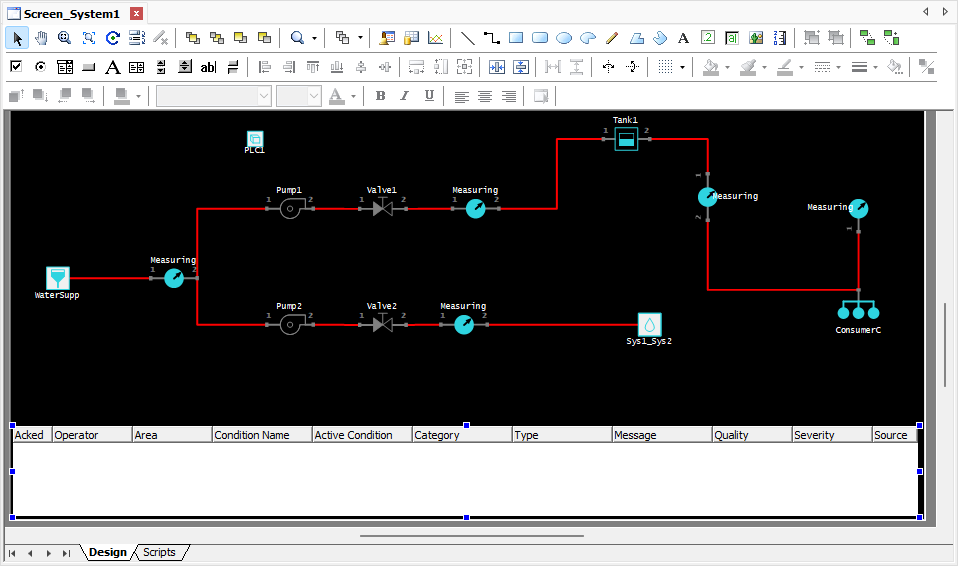
E3Alarm on the Screen_System1 Screen
2.On the Connections tab of the Properties Window of this E3Alarm, inform the name of the Alarm Server on the Alarm Server column of the default Connection.
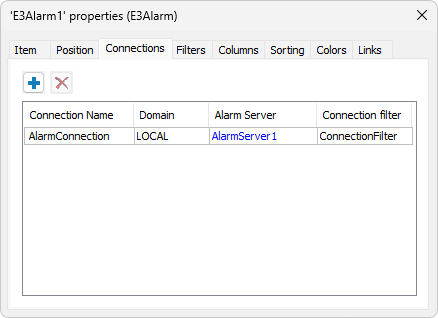
Connections tab of an E3Alarm
3.On the Columns tab, select the desired Fields.
4.On the Colors tab, execute the desired configuration.
5.Execute the application and test this new functionality.