1.Add a Discrete Alarm on PumpState Measurement of Pump1 object of Station1 Station of the System1 Water Distribution Network.
2.On the Properties Window of this Alarm, change the Type column of the On Subcondition to the value 1: Event, according to the next figure.
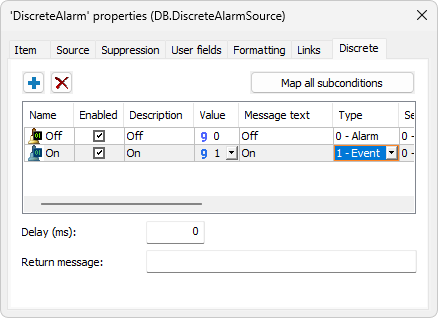
Subcondition's Type column
3.Add Discrete Alarms on Measurements DHPP and ULPP of the Pump1 object and also change the Type column of the On Subcondition of these Alarms to the value 1: Event. The next figure shows the result of this exercise.
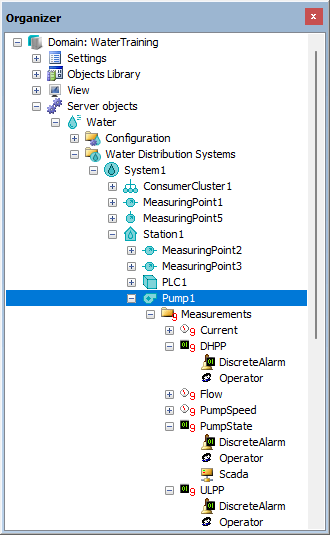
Result of creating Discrete Alarms