Allows toggling the value of a Tag. If the value of a Tag is equal to Value1, then the Tag receives Value2. If the value of a Tag is equal to Value2, then the Tag receives Value1. If the value of a Tag is different from either Value1 or Value2, then the Tag receives Value1.
Users can add as many Toggle Value Picks as needed. This allows checking multiple values for the same Tag, or even for several Tags in the same event.
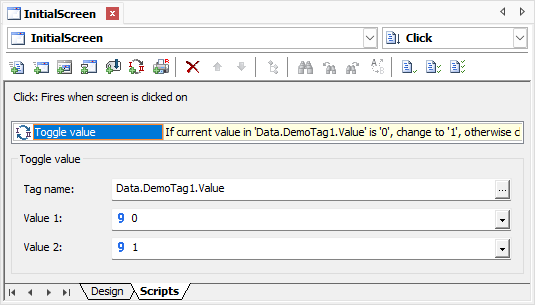
Settings for the Toggle Value Pick
The available options for the Toggle Value Pick are described on the next table.
Available options for the Toggle Value Pick
Option |
Description |
|---|---|
Tag name |
By clicking |
Value 1 |
Determines the first value to compare. If the value of a Tag is equal to Value1, then the Tag receives Value2 |
Value 2 |
Determines the second value to compare. If the value of a Tag is equal to Value2, then the Tag receives Value1 |
