Elipse Power Studio comes with a series of configured menus and a toolbar, which are shown when executing it for the first time. When using a more modern graphical interface, similar to programs such as Microsoft Office, users can modify these menus and toolbar. When there is no open application, a screen displays less enabled options on menu bar and on toolbar, but its layout remains the same. The next figure shows Elipse Power Studio's appearance after creating a new project.
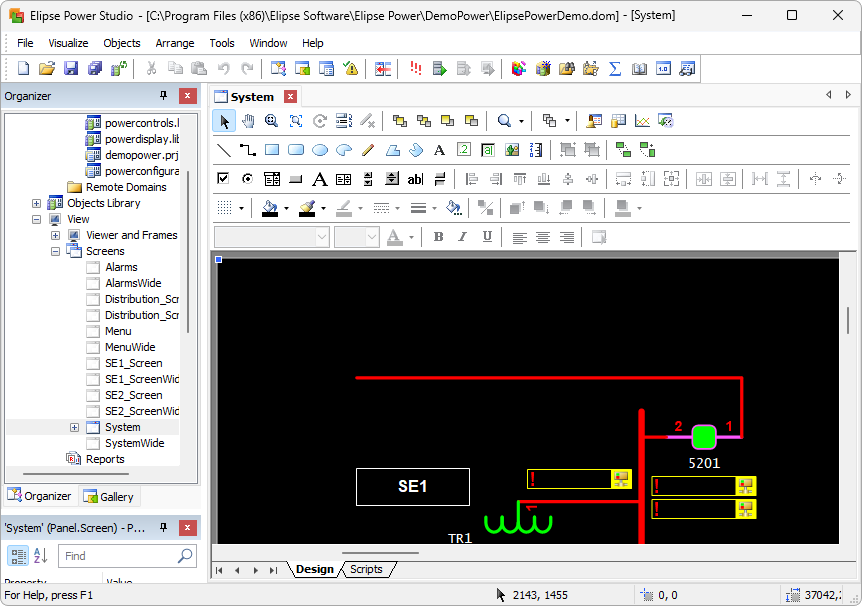
Elipse Power Studio's working area
A Title Bar shows the application's path and name, or the name of an object whose view is currently shown on working area.
A Status Bar shows helpful information about the screen area under the mouse pointer.
A Toolbar shows resources that can be used on Elipse Power.
A Working Area is where views are displayed.