To insert a new Feeder on the System level, click Feeder  and then click the drawing area. To connect a Feeder to a Substation, click Jumper
  , select a Feeder, and then drag the mouse pointer to a Substation. The same operation can be used to connect two Feeders. Properties of this object can be checked on Elipse Power Reference and Scripts Manual.
NOTE |
A Feeder can be connected to more than one Substation. In this case, the first Substation to which a Feeder connects is considered the parent Substation, that is, the Substation that feeds it. This configuration can be altered by changing Feeder's Substation property. |
To edit a Feeder, double-click it on the System level. Thus, a new screen is opened so that Feeder's internal elements can be modeled. The next figure presents a Feeder's modeling screen.
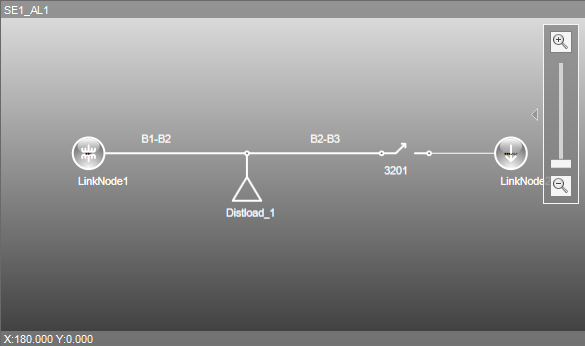
Modeling screen of a Feeder