1.On the Menu_Screen, insert the User  figure available on the project as a Resource. Create a new Script-type Pick on the Click event.

Login window
2.Select on AppBrowser the Viewer's Login method and click Paste.
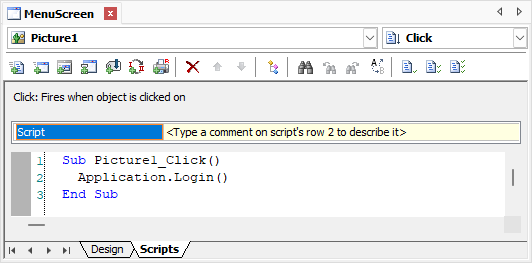
Viewer's Login method
NOTE |
The figures on the Resources item in Organizer were added in the exercise External Figures of chapter Screens and Screen Objects. |