Allows users to set the style of a window to display, by defining title and availability of borders, and the close, maximize, and minimize buttons, among other options. If the Use default window settings option is selected, the application disables these window options and assumes the default configuration of Viewer, according to the options configured on the Viewer tab of Viewer properties.
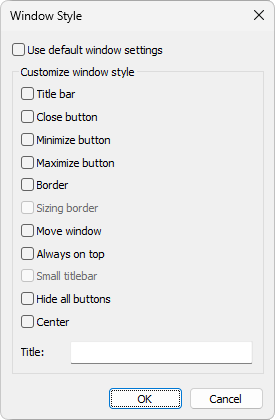
Window Style dialog box