The SequenceWebService tab contains settings specific to this Driver.
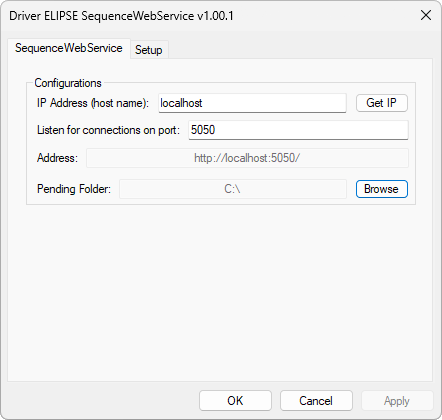
SequenceWebService tab
The available options on this tab are described on the next table.
Available options on the SequenceWebService tab
Option |
Description |
|---|---|
IP Address (host name) |
IP address or name of the local machine where the Web Service is hosted. The default value for this option is "localhost" |
Get IP |
Click to configure the IP Address option with the IP address of the local computer |
Listen for connections on port |
TCP/IP port used for connecting to the Web Service. The default value for this option is 8080 |
Address |
Address of the Web Service address, automatically filled in |
Pending Folder |
Path to the folder where the file SequenceWebServicePending.json is saved when stopping this Driver, if there are requests received but not yet processed, so that they are processed upon restarting this Driver. The default value for this option is "C:\" |