The Mitsubishi Melsec-FX Driver, when included in an application, is loaded with the default configuration of extra parameters for the serial port, that is, a baud rate of 9600 bps, 7 (seven) data bits, 1 (one) stop bit, and even parity check. These configurations already comply with the definitions of Format 1 of this device's protocol, and normally do not need to be modified.
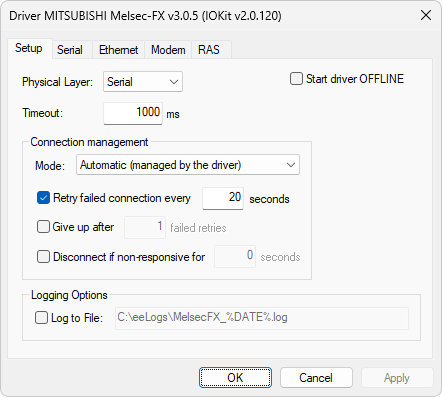
Setup tab
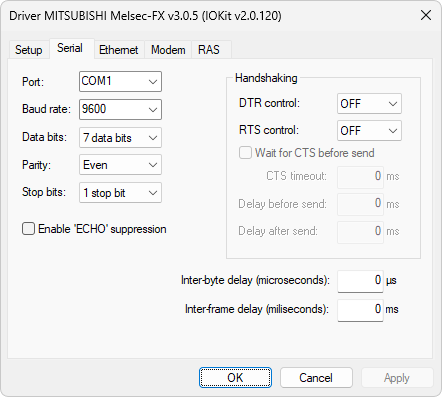
Serial tab
Possibly the address of the serial port must be changed to the one to establish communication, such as COM2 or COM3. Also, the time-out is already defined as 1000 ms, but this is rather arbitrary relative to the requirements of an application. Another configuration that probably must be changed is the RTS Control option. Some converters require this option to be configured with the value ON.
NOTE |
In case of using a USB interface, select the respective virtual serial port created by a device's driver. The baud rate must be equal to 9600 bps. |