The Melsec-A tab, shown on the next figure, contains specific configurations for this Driver.
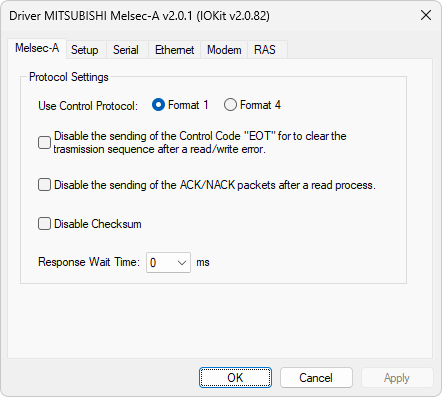
Melsec-A tab
The available options on this tab are described on the next table.
Available options on the Melsec-A tab
Option |
Description |
|---|---|
Use Control Protocol |
Selects the type of format used by the protocol, Format 1 or Format 4 |
Disable the sending of the Control Code "EOT" for to clear the transmission sequence after a read/write error |
If this option is enabled, no EOT control code is transmitted to clear communication after the occurrence of errors |
Disable the sending of the ACK/NACK packets after a read process |
If this option is enabled, no ACK or NAK control codes are transmitted after receiving data from a device |
Disable Checksum |
If this option is enabled, no checksum bytes are added to messages |
Response Wait Time |
Selects the time, in milliseconds, that a device must wait before transmitting responses |