IsoTcp TIA Portal Importer is an executable file, distributed along with Siemens ISO-on-TCP Driver, intended to import Tags from an automation project created using TIA Portal by Siemens AG. To ensure its proper functioning, this executable must match the following requirements:
•Siemens TIA Portal versions 16, 17, 18, 19, or 20 installed
•Microsoft .NET Framework version 4.8 or later installed
•Folders TIAImporterV16, TIAImporterV17, TIAImporterV18, TIAImporterV19, and TIAImporterV20, provided with this Driver, must be located in the same folder as this Driver
•Files IsoTcpTiaPortalImporter.exe and Siemens.Engineering.dll, provided with this Driver, must be located within the folders mentioned earlier
•The user account using the Importer must be added to the Siemens TIA Openness local group of users, located on Windows Administrative Tools
To open IsoTcp TIA Portal Importer, click Open Importer on the Import Tags tab of the properties window of this Driver to open the window on the next figure.
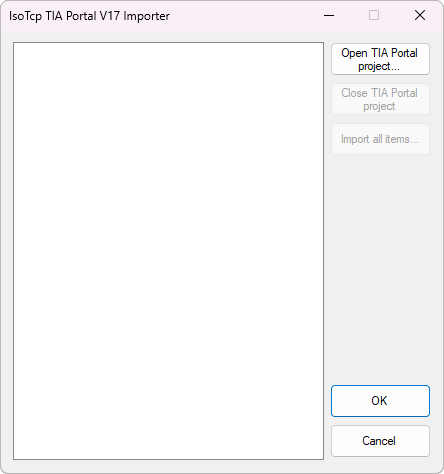
IsoTcp TIA Portal Importer
Click Open TIA Portal project to select a TIA Portal project file and click OK to open an instance of TIA Portal in background. If TIA Portal firewall does not find IsoTcp TIA Portal Importer on the authorization list, a dialog box is opened with options Yes to allow access, Yes to all to allow access and save the access authorization on the authorization list, and No to refuse access, according to the next figure.
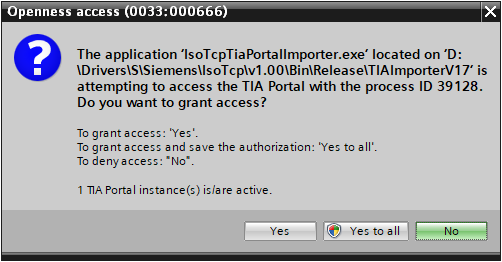
Access configuration
After authorizing IsoTcp TIA Portal Importer, it is then opened displaying the project's tree structure with the items to import.
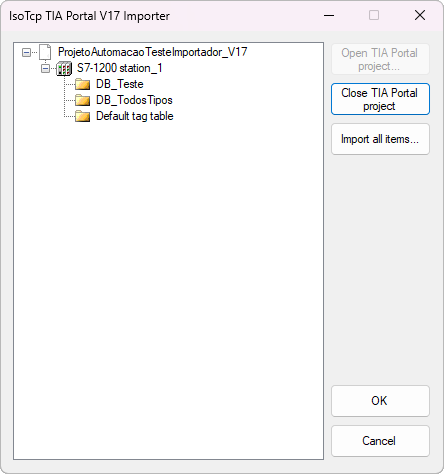
Items to import
To import all Tags from a project, click Import all items. After finishing the import process, click OK to confirm it and close the Importer. When closing the Importer, the Tags are automatically imported into this Driver's properties window, where they can be saved. The Close TIA Portal project option allows closing a project and the Cancel option closes the Importer without performing an import process.