Before executing this Driver, users must select the type of printer for RS232 or RS485 serial communication with an Elipse Software application on the Genesis tab of the configuration window, according to the next figure.
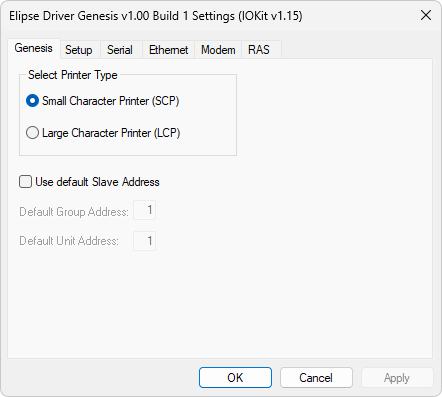
Genesis tab
The available options on this tab are described on the next table.
Available options on the Genesis tab
Option |
Description |
|---|---|
Small Character Printer (SCP) |
Protocol compatible with SingleLine Small Character and TwinLine Small Character ink jet printers |
Large Character Printer (LCP) |
Protocol compatible with SingleLine Large Character, TwinLine Large Character, and VariLine Large Character ink jet printers |
Use default Slave Address |
Defines a unique RS485 serial address for all Tags of an application |
Default address referring to a group of ink jet printers on an RS485 serial network. Possible values for this option range between 1 (one) and 4 (four) |
|
Default address referring to the unit of an ink jet printer inserted in a group of ink jet printers on an RS485 serial network. Possible values for this option range between 1 (one) and 8 (eight) |