To monitor remote computers, perform the next settings.
1.In case of Windows Firewall enabled, right-click the File and Printer Sharing Inbound and Outbound Rules on Windows Firewall settings and select the Enable Rule option.
2.Start Remote Registry service on the computer to monitor. On Windows Vista this service is not active by default, so users must start it manually. For this service to start automatically, right-click it and select the Properties option. On the General tab, select the Automatic item on the Startup type option.
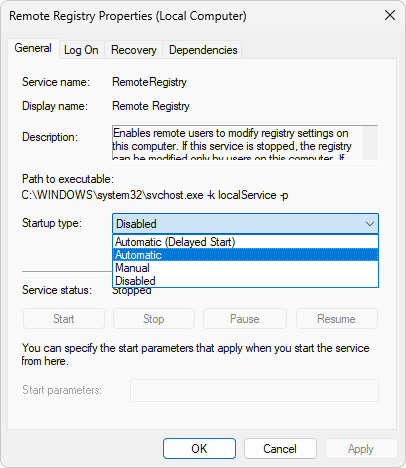
Startup type of Remote Registry service