The ElipseWS tab contains specific settings for this Driver, according to the next figure.
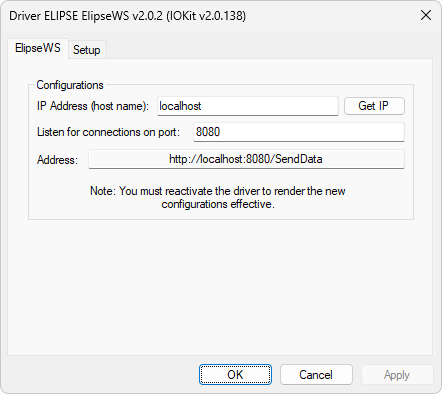
ElipseWS tab
The available options on this tab are described on the next table.
Available options on the ElipseWS tab
Option |
Description |
|---|---|
IP Address (host name) |
IP address or the name of the local computer where the Web Service is hosted. The default value of this option is "localhost" |
Get IP |
Click to configure the IP Address option with the IP address of the local computer |
Listen for connections on port |
TCP/IP port used to connect to a Web Service. Default value of this option is 8080 |
Address |
Web Service address, automatically filled. This address can be accessed on a browser to check whether the service was successfully created and whether it is active |